
Direct vs. Indirect Connections: Understanding User Paths
When you look at your Funnelytics canvases, you'll see lines connecting the different steps in your funnel.
These lines represent how your users are moving from one page or action to another, but not all connections are the same.
Funnelytics uses two types
Direct
Indirect
The combination of these two types of connections give you a complete and accurate picture of your customer journey.
Since this, understanding the difference is key to properly analyzing your data.
Direct Connections (The "As-Designed" Path)
Visually represented by a solid line.
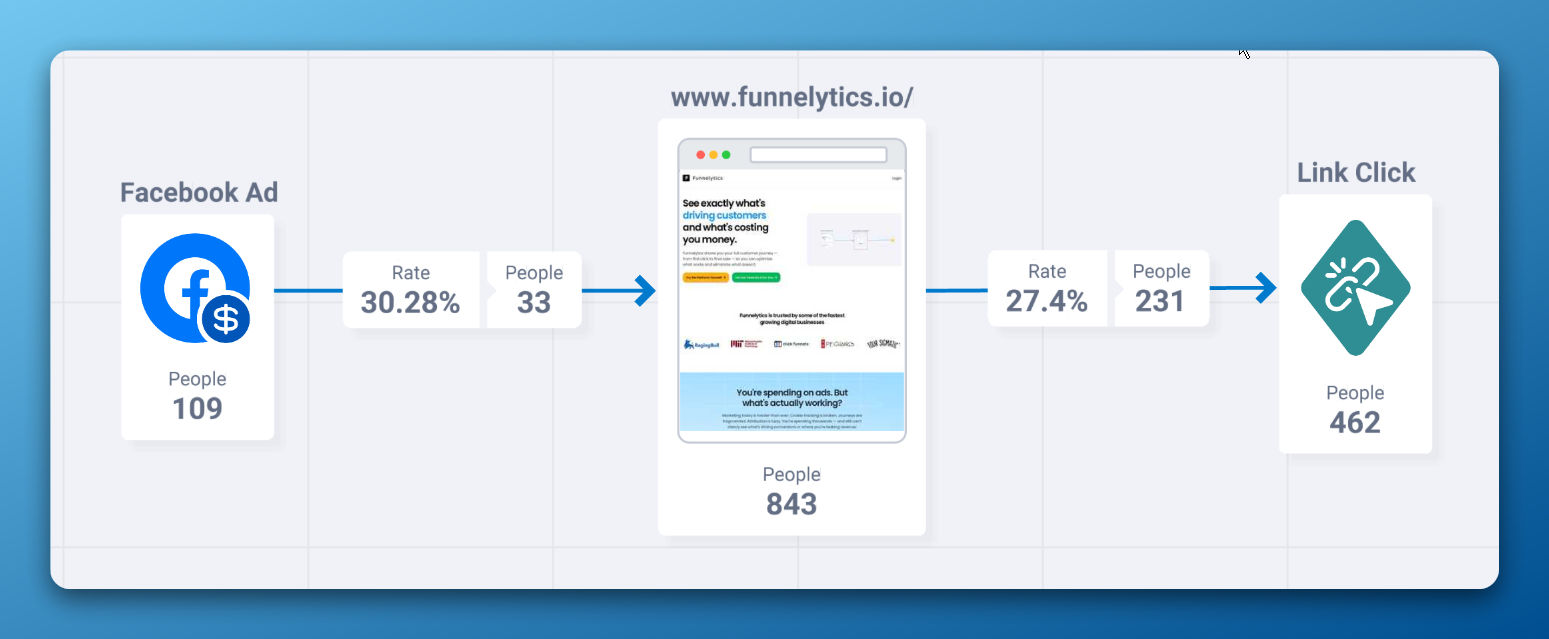
A Direct Connection happens when a user moves from Step A to Step B immediately, in a single, uninterrupted session. Think of this as the path you designed for them to take. They clicked a specific link or button that took them straight to the next step.
What it means:
The user's action was immediate and traceable. The Funnelytics script on Step A saw the user leave, and the script on Step B saw the same user arrive right after, with Step A as the direct source (referrer).
Common Examples of Direct Connections:
Clicking an "Add to Cart" button and landing directly on the checkout page.
Clicking a link in your website's navigation menu to go from the homepage to the pricing page.
Submitting a lead magnet form and being taken immediately to a thank you page.
What Direct Connections Tell You:
These connections are perfect for measuring the effectiveness of your calls-to-action (CTAs) and the user flow of your funnel. They answer the question: "Are users clicking where I want them to click?"
Indirect Connections (The "Influenced" Path)
Visually represented by a dotted or dashed line.
An Indirect Connection occurs when Funnelytics knows the same user completed Step A and later completed Step B, but not in a direct sequence. There was a time gap, a different traffic source in between, or even a switch of devices.
What it means:
The journey was broken. The user did not go straight from A to B. They might have left your site and come back later. Funnelytics recognizes it's the same person performing both actions, so it connects the steps to show that Step A likely influenced the user to eventually complete Step B.
Common Examples of Indirect Connections:
Time Delay: A user reads your blog post (Step A) on Monday, then comes back to your site on Wednesday by typing your URL directly to visit the pricing page (Step B).
Channel Hopping: A visitor sees your landing page from a Facebook Ad (Step A), leaves, and then later Googles your brand name to find your homepage (Step B).
Cross-Device Journey: Someone views a product on their phone (Step A) during their lunch break, and then goes to their laptop that evening to purchase it (Step B).
What Indirect Connections Tell You:
These connections are incredibly powerful for understanding attribution and the real-world customer journey. They show you which pages and content have a lasting impact, even if they don't lead to an immediate conversion. They answer the question: "Which of my pages influence users to come back and convert later?"