
Elevate your customer journey analysis with Funnelytics' "Goals" feature, streamlining the identification of key touchpoints that drive growth. By highlighting and assigning values to these touchpoints, you gain the power to focus efforts for optimal scaling and success.
In this brief video, you'll discover:
The challenge of deciphering essential touchpoints within a complex customer journey.
How Funnelytics' "Goals" feature highlights crucial touchpoints and lets you assign values, guiding your team towards impactful optimizations.
The ease of setting up goals on your customer journey canvas, utilizing the goals widget to visually track performance and understand the drivers behind these core goals.
READY TO DIVE IN?
Head over the Funnelytics Platform to get started!
NOTE!
This feature requires Funnelytics tracking to be setup. Learn more here.
Detailed Tutorial
Select any element on the canvas (Pages, Actions, Sources, Connection Lines you name it!) and set this element as a goal.
Once you select the element, just assign it a value, and Funnelytics will multiply that value by all people tracked within that element. Ultimately this gives you a very clear idea of your conversions!
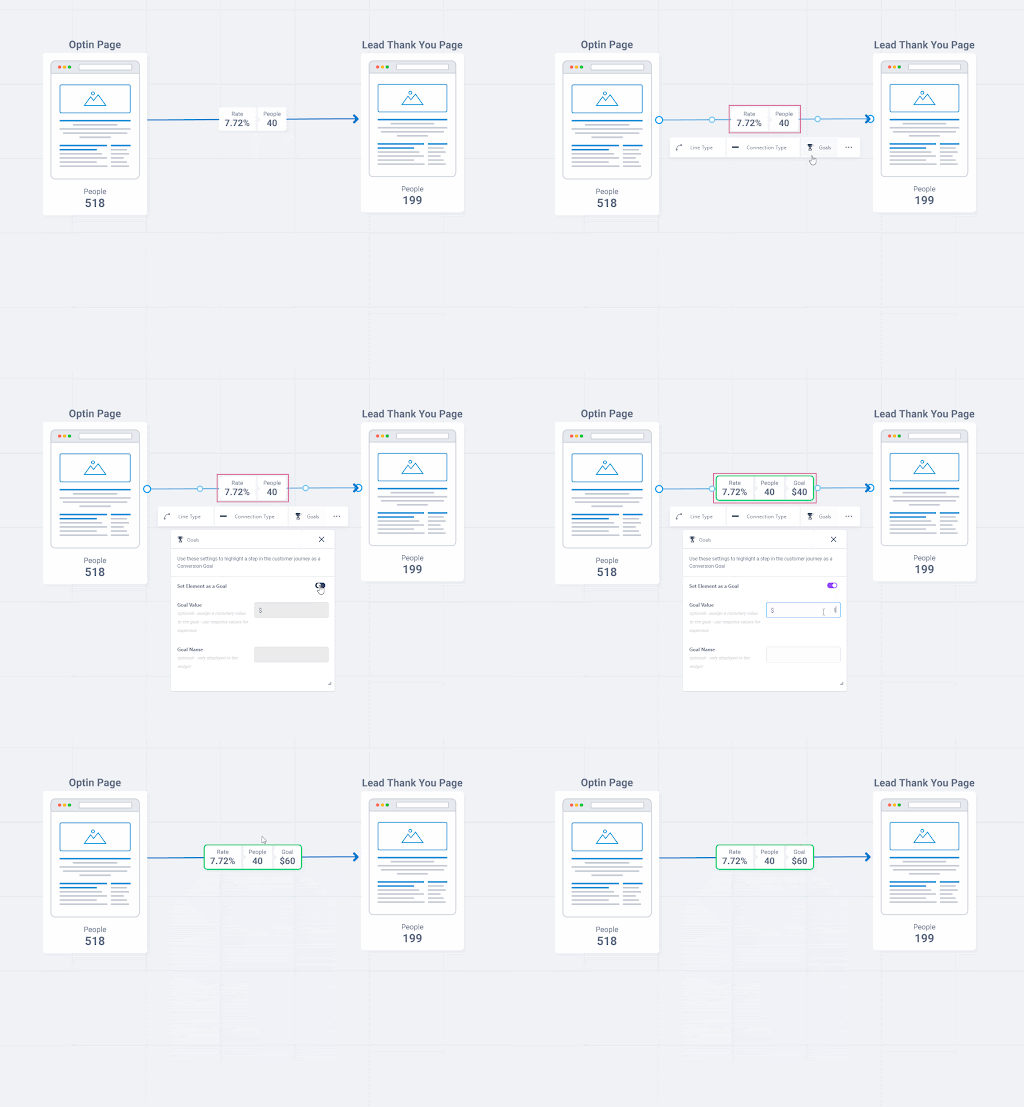
Set values to connecting lines
In our example below you can see how you can configure the line between an opt-in page and a thank you page as a goal that has been assigned a value of $1.50. Easy!
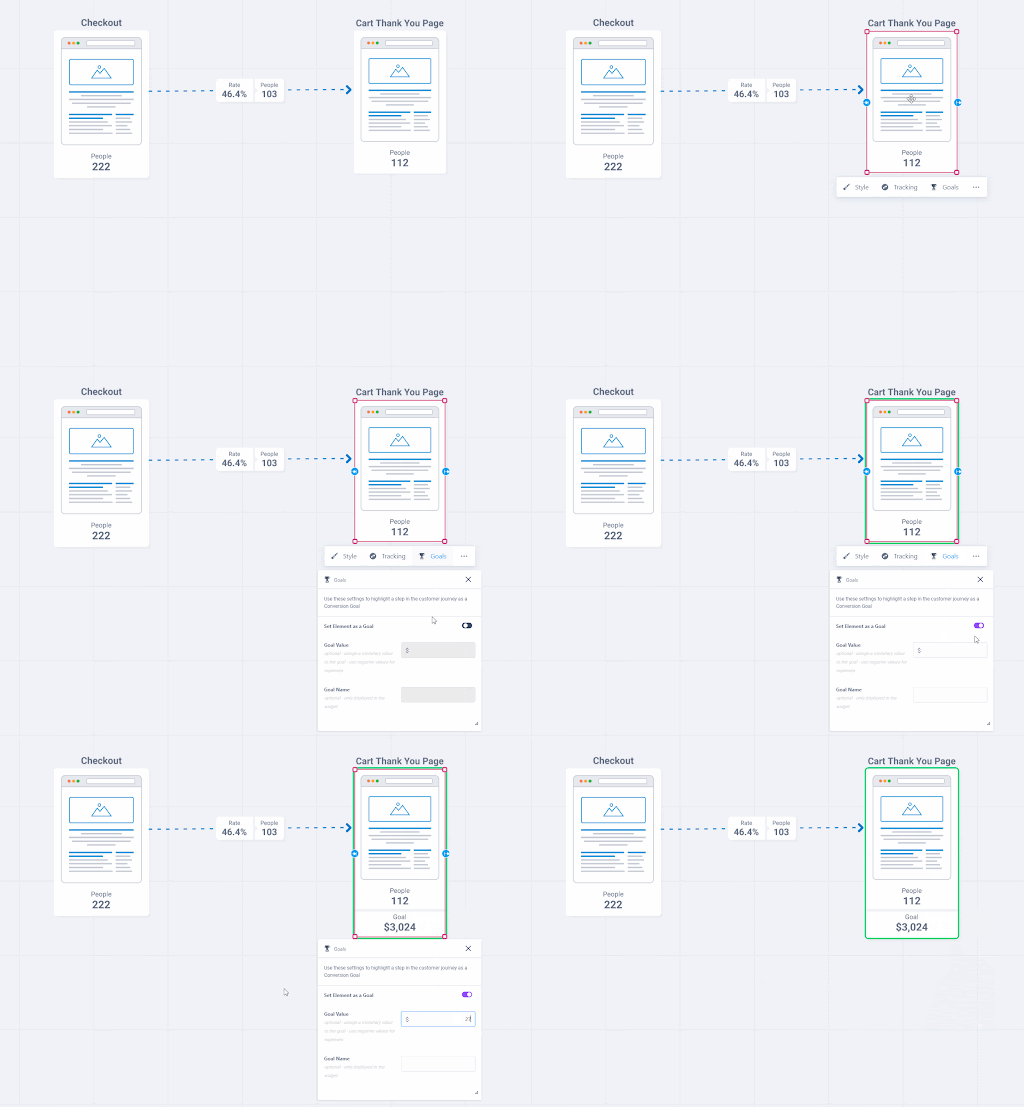
Set values to pages
In our next example below you can see how easily you can specify the value of a page landing. In our example we assign our thank you page a value of $27. The goal setting will then tell us how much revenue this goal is generating based on visitors. Simple as that!
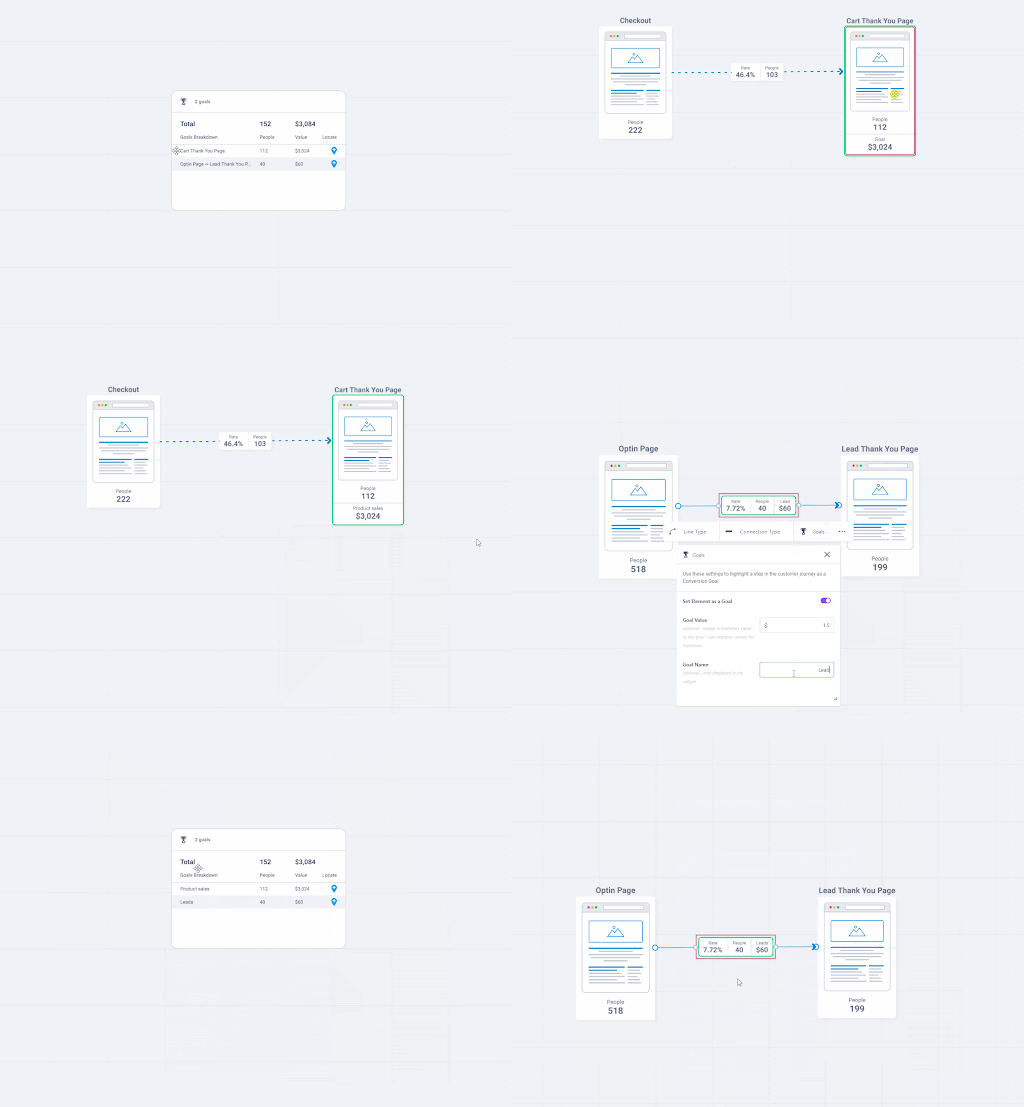
Use the goals widget
The goal widget in the below image shows you all of your important goal information and allows you to define name of your goal and the value you place on each person that lands on this element. We love this widget!
If you have any questions or need assistance, feel free to reach out to our support team using the chat widget that you can find in the bottom right corner of the page