
Accessing Your Billing Settings
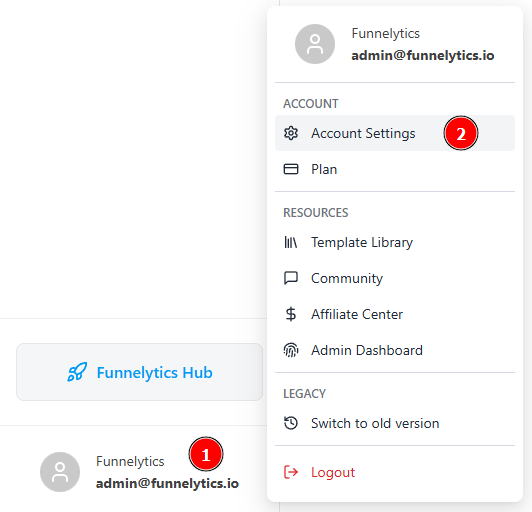
Start by locating the account owner's name at the bottom left of the Funnelytics app. Click on it to reveal a menu.
-
In the menu, select "Account Settings"
-
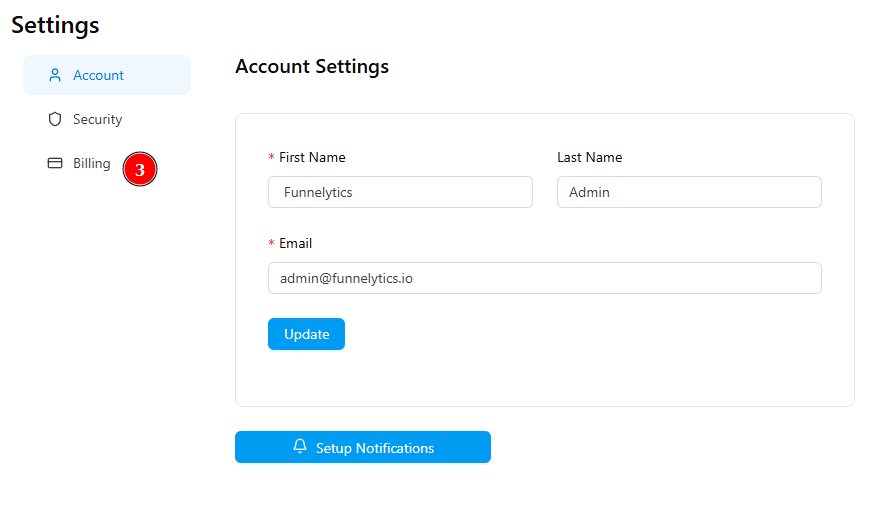
To access your Billing details just click on Billing
Billing Portal
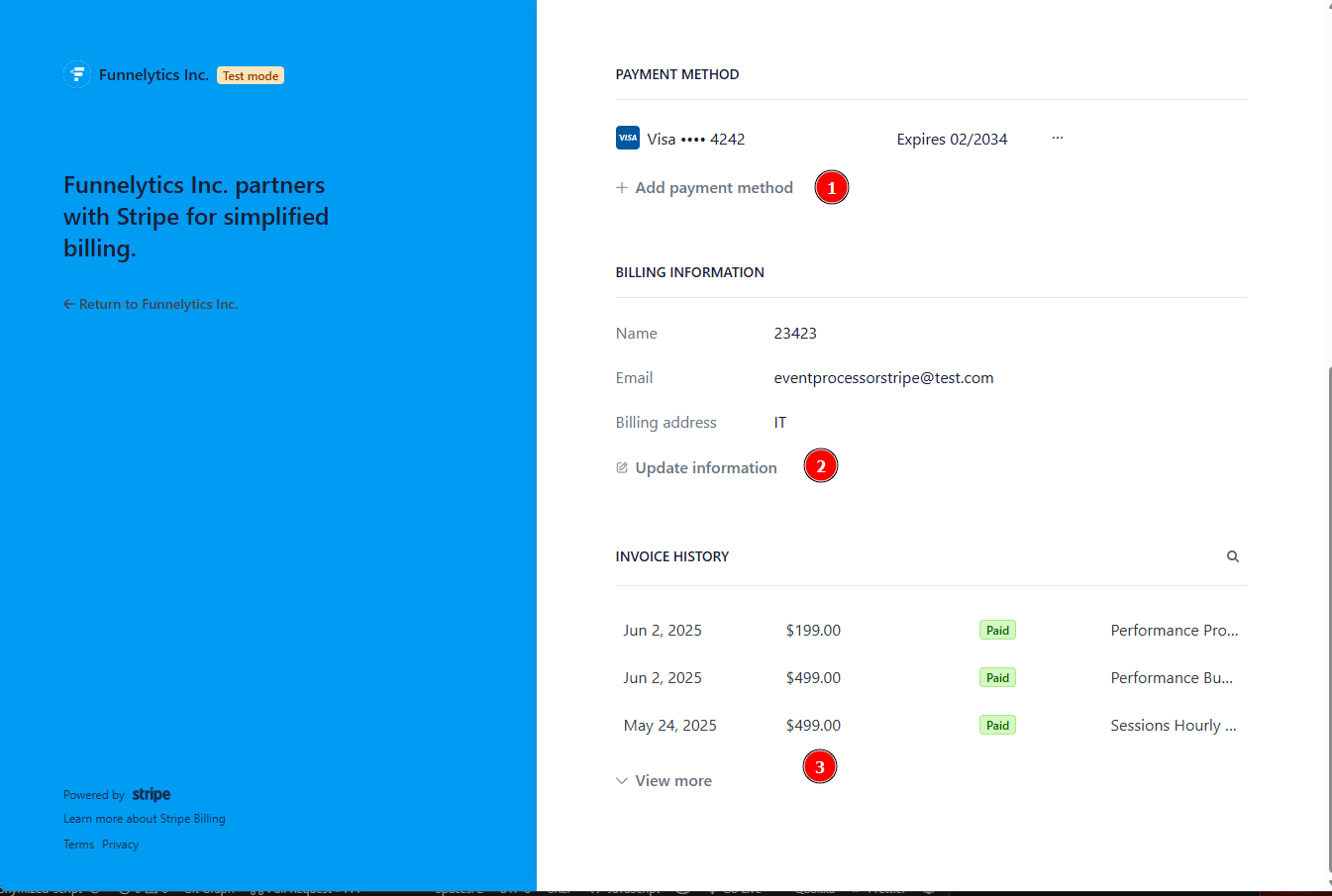
Within the Billing Portal you will be able to:
Edit, Add or Remove your Payment Method
Change your Billing Information
-
Download your Invoices
Need more assistance?
If something isn't clear or you need more assistance, please continue to look through help.funnelytics.io for all support articles or reach out to us via the chat bubble in the bottom right corner or via email at support@funnelytics.io.